
A lot of signatures get collected in places the internet does not reach. A basement during a repair call. A kitchen table on a home visit. A stall at a weekend market. A treatment room with thick walls and one bar of signal.
Most e-signature tools are built for the opposite situation: a desk, a steady connection, and a monthly plan. You email a link, the other person opens it on their own device, and a server somewhere records the result. That model breaks the moment the connection drops, and it sends your client’s details through someone else’s cloud along the way.
Here is how to collect a signed form on an iPad without either: no connection, no account, no subscription. The screenshots below are from InPersonForms, but the workflow is the point, and you can follow it with any PDF you already have.
Set the form up once
Start with the PDF you already use: an intake form, a consent form, a waiver, a job sheet. Import it once. If the PDF was made in Acrobat or Word and already has fields built in, those get picked up automatically, so you are not redrawing anything.
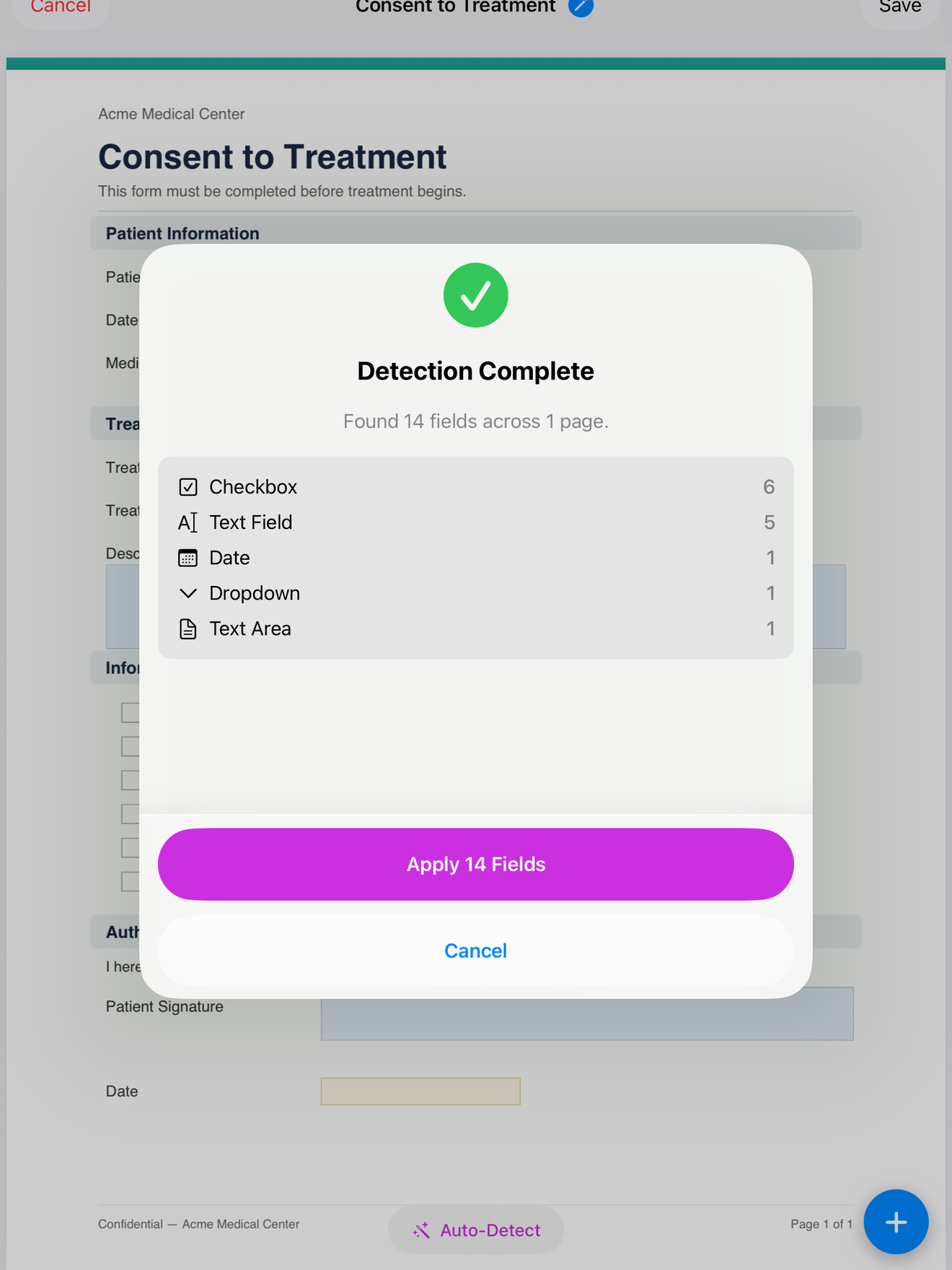
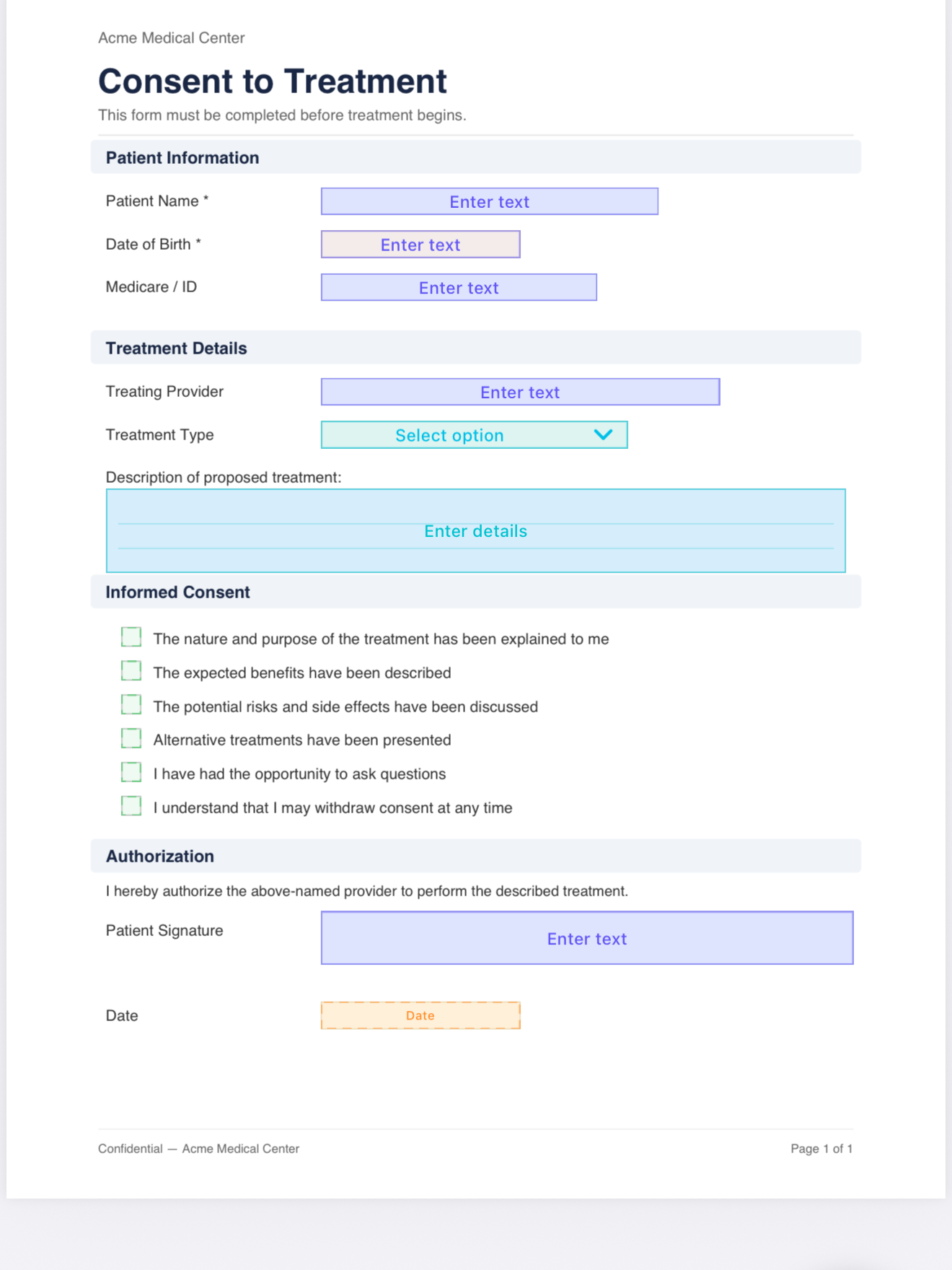
For a plain PDF with no built-in fields, you place them yourself. Drop a text box where the name goes, a date field where the date goes, a checkbox next to each option, and a signature field at the bottom. You do this once per form. After that the layout is saved as a template and every new client starts from the same clean copy.
Hand over the device to sign
When you are in front of the client, open the template, fill in what you need to, and pass them the iPad. They sign with a finger or an Apple Pencil, directly on the document, in the field you placed for it. The signature is drawn on the device and written into the PDF itself, not stored as a separate file you have to reconcile later.
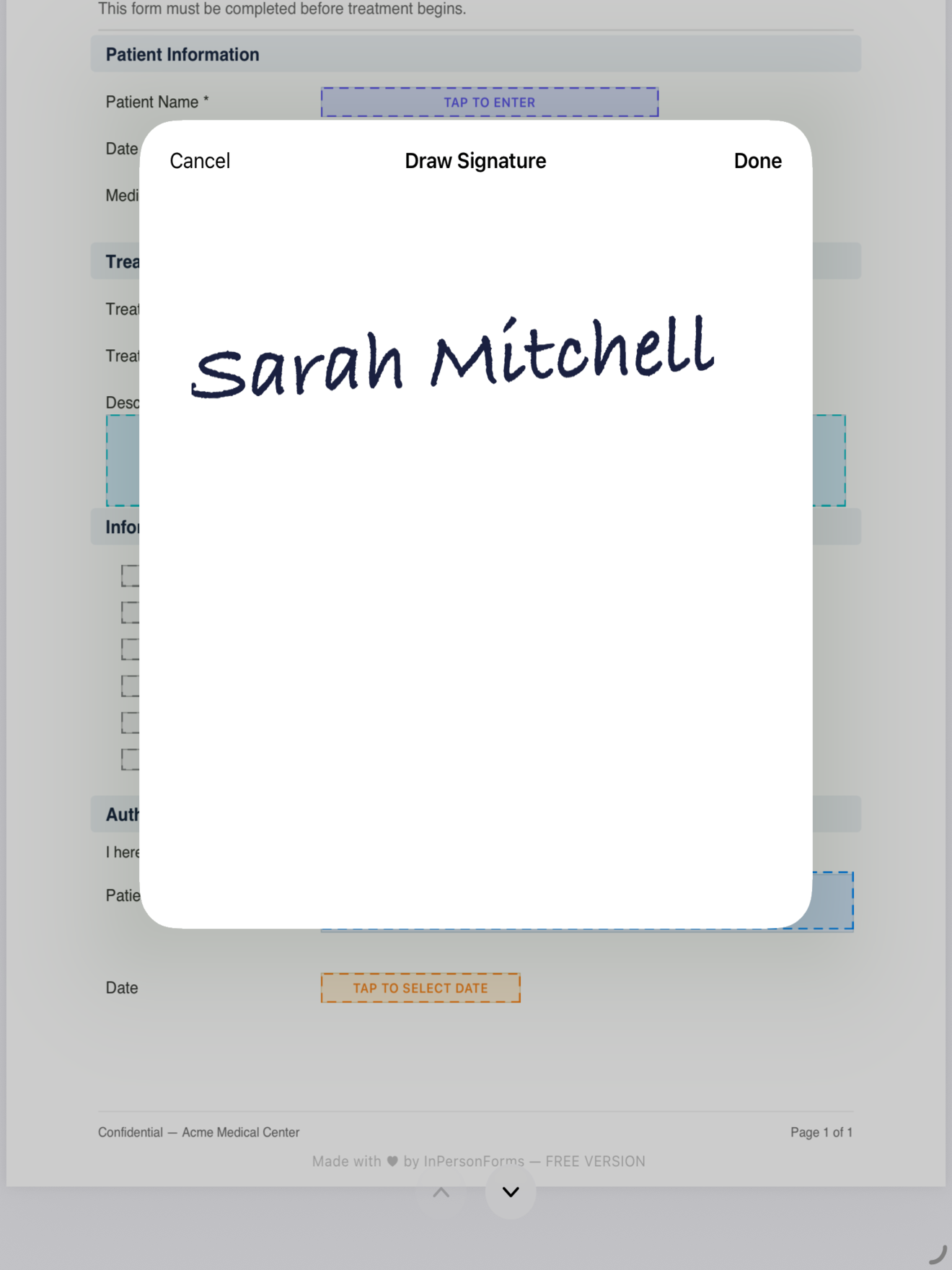
Because all of this runs on the iPad, it does not matter that there is no signal. Nothing is waiting on a server to load. The form behaves the same in a dead zone as it does on office Wi-Fi.
Export and keep the record
Once it is signed, export the finished PDF. Email it when you are back in range, drop it into Files, or send it to whatever system you already keep records in. The exported file is a normal flattened PDF, so anyone can open it without your app.
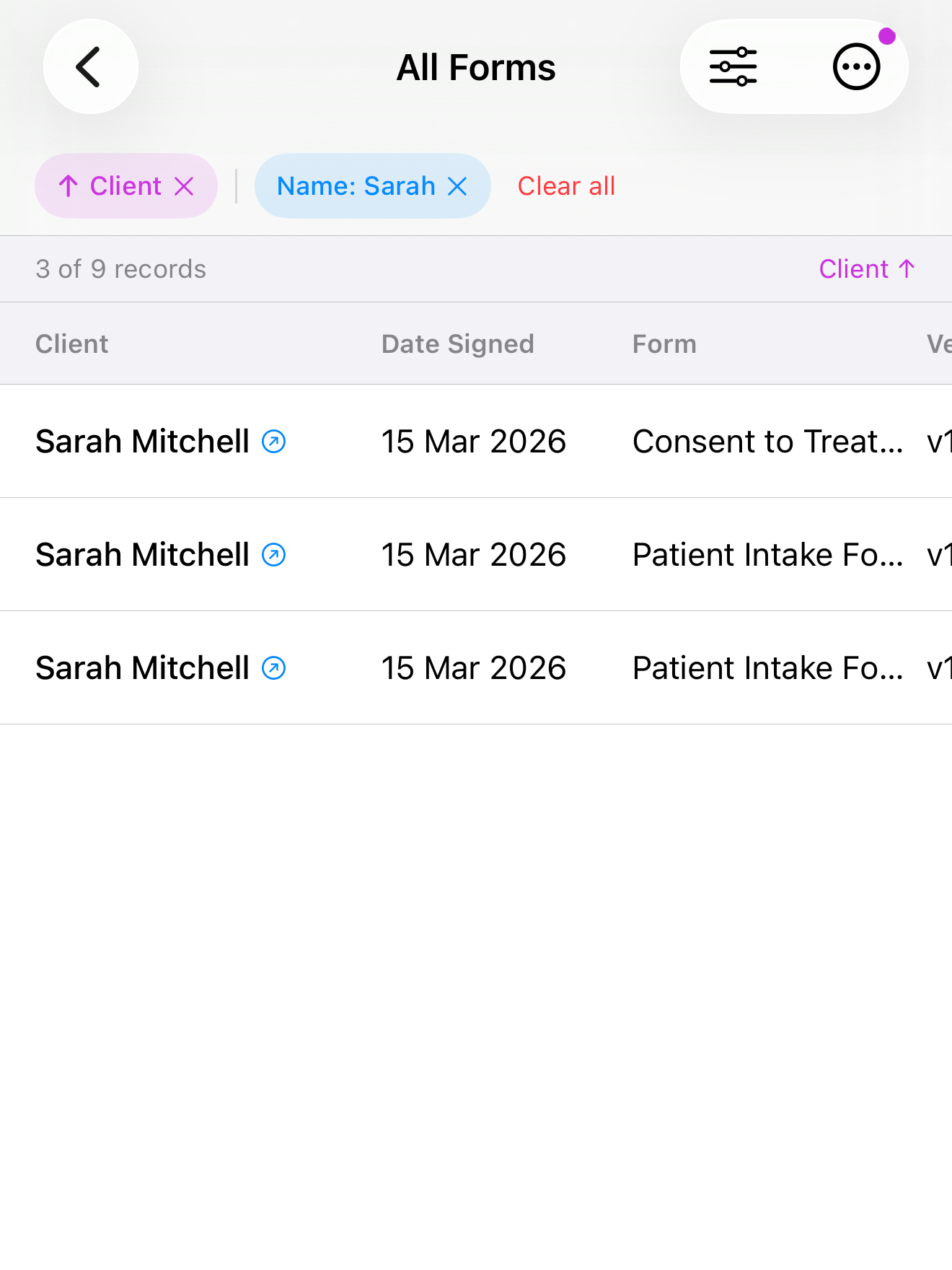
The signed copies stay on your device, organised by client, so you can find an old form later without digging through email.
What you do not need
It is worth being clear about what this workflow leaves out, because it is the part that usually causes friction:
- No account or login. Nothing to set up for you or the client.
- No internet. The form works fully offline. A connection is only ever needed if you choose to email a copy afterwards.
- No subscription. InPersonForms is free to start, with a one-time Pro upgrade if you need unlimited templates. There is no monthly fee tied to how many forms you sign.
- No data leaving the device. Client names, the forms, and the signatures are stored on your iPad and are not uploaded anywhere. For anyone handling health, legal, or personal information in person, that is the whole point.
If you collect signatures away from a desk, an offline-first tool removes the one dependency that tends to fail at the worst moment. You can try the workflow above with your own forms.
InPersonForms is on the App Store for iPhone and iPad.