
When a new client sits down for a first session, the paperwork comes first: an intake questionnaire, informed consent, a privacy notice, sometimes a telehealth or cancellation agreement. For a solo or small mental-health practice, that paperwork is some of the most sensitive data you will ever hold. So it is worth asking a plain question about whatever tool you use to collect it: where does that data actually go?
Most intake apps marketed to therapists answer with “our secure cloud.” You fill in the form, the client signs, and the record lands on the vendor’s servers. That can be done compliantly, but it always means a third party now holds your clients’ mental-health information. This walks through the other option: running intake and consent entirely on an iPad in the room, with the signed copies organized by client and nothing uploaded. The screenshots are from InPersonForms, but the workflow matters more than the tool, and you can follow it with the forms you already use.
What “HIPAA compliant” does and does not promise
This trips up a lot of practice owners, so it is worth being precise. HIPAA does not require you to store records in any particular place. It does not mandate the cloud, and it does not forbid keeping records locally. The rule cares about how protected health information is safeguarded, not where it lives, so local storage and cloud storage are both allowed as long as the right controls are in place.
What HIPAA does say is this: the moment a cloud service provider creates, receives, maintains, or transmits protected health information on your behalf, that provider becomes a business associate. You are then required to have a Business Associate Agreement with them, and that holds even when the data is encrypted and the vendor cannot read it (see the HHS guidance on cloud computing).
So “HIPAA compliant” on an intake app usually means the vendor is willing to sign a BAA and has built the safeguards to back it. That is legitimate. But it does not change the underlying fact that your clients’ data is sitting on someone else’s servers. If the intake never leaves your iPad, there is no business associate in the picture, because there is no third party touching the data at all.
Build your intake and consent set once
Start with the forms you already use. Import each PDF: your intake questionnaire, your informed consent, your practice policies. If a form was built in Acrobat or Word with fields already in it, those get detected and converted, so you are not redrawing a document you spent hours formatting.
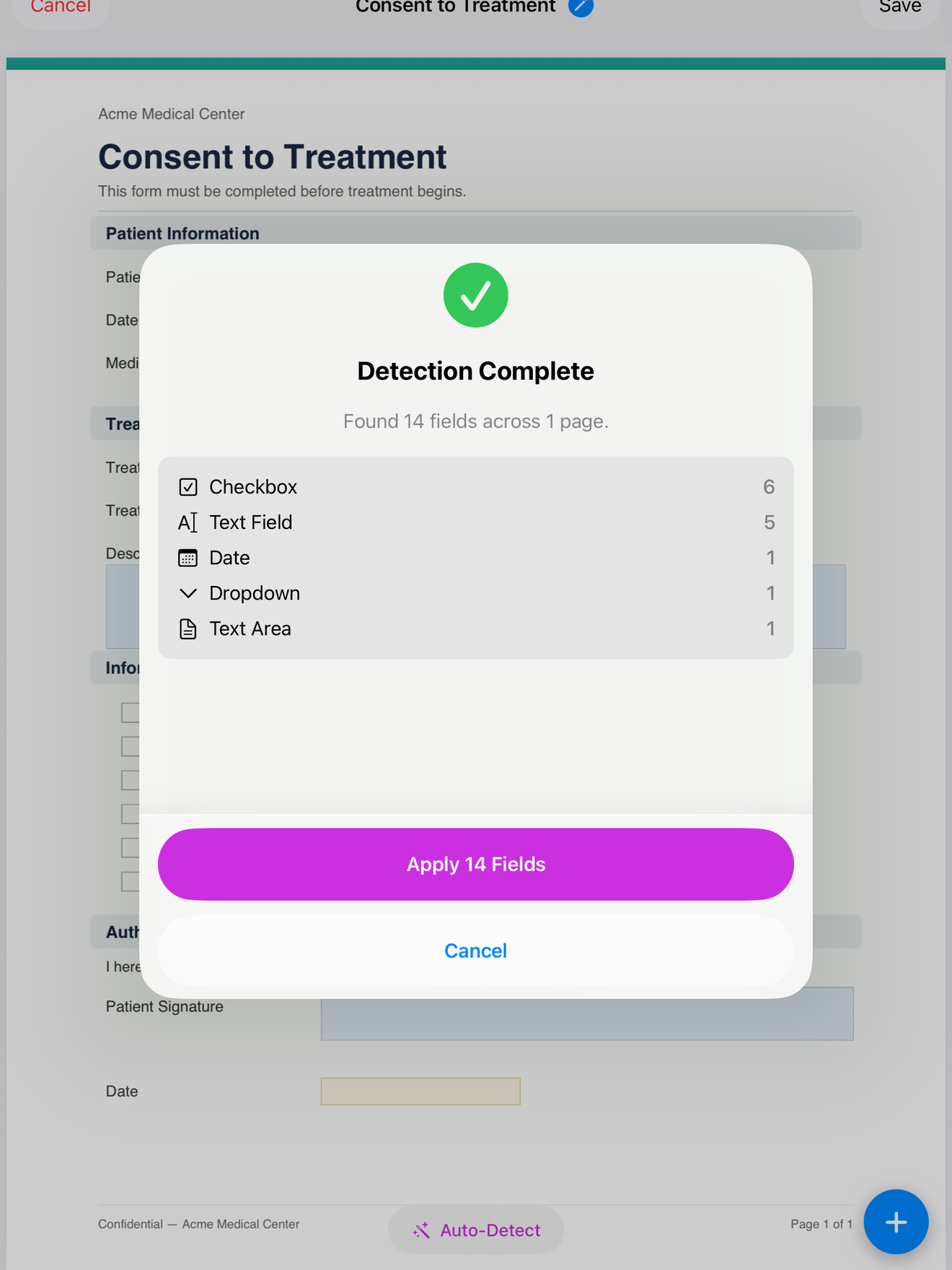
For a plain PDF, you place the fields yourself: text boxes for name and date of birth, checkboxes for the consent items a client must acknowledge, a date field, and a signature field at the bottom of the consent page. Mark the fields a client cannot skip as mandatory, so a consent form cannot be saved with the signature line blank. You do this once per form, and the layout is saved as a reusable template.
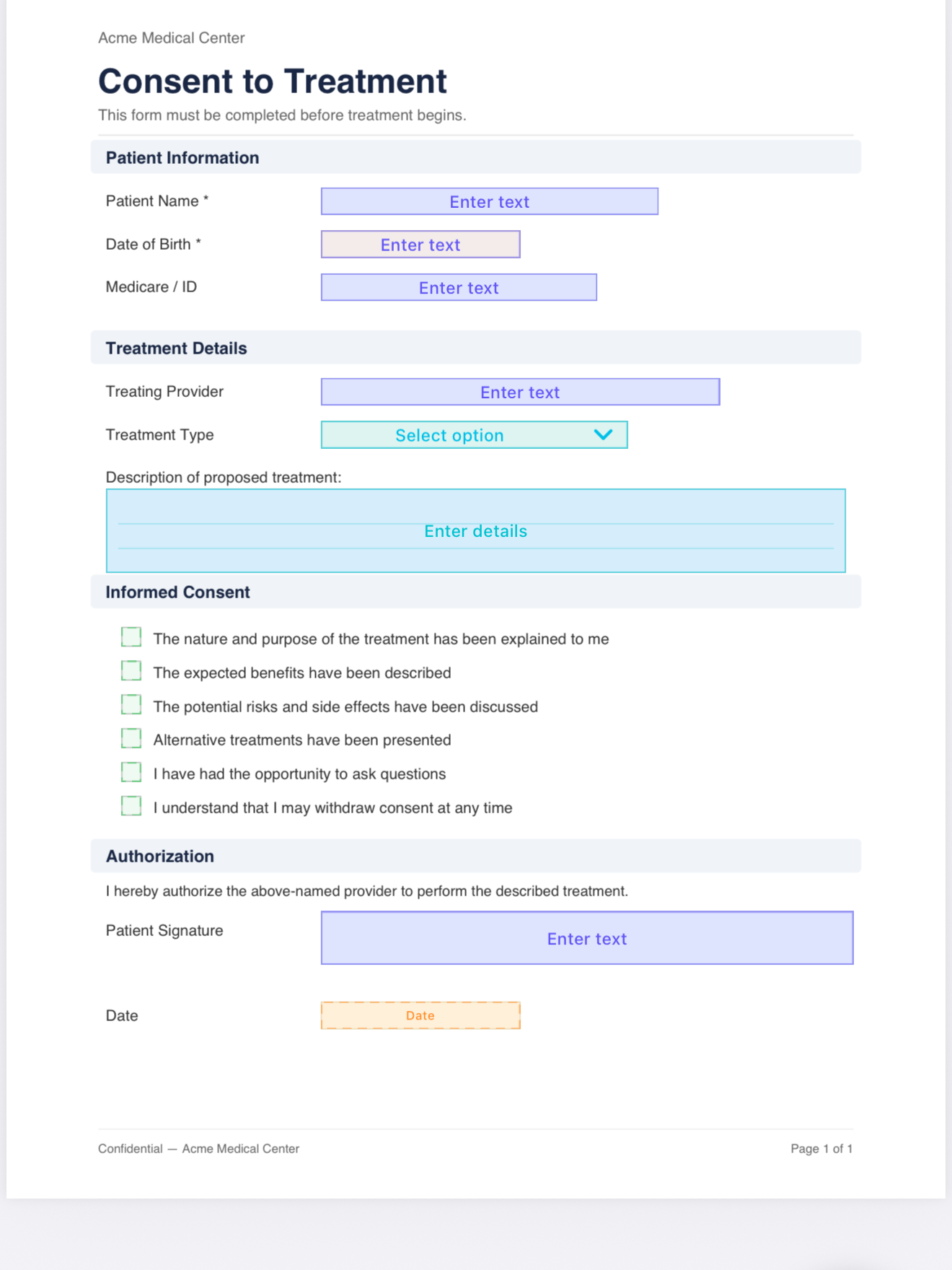
One note on consent specifically: its value is not just the signature, it is that the client genuinely saw what they signed. Keep the consent text in the document itself rather than collapsing it into a single “I agree” checkbox, so the exported PDF is a complete record of what was presented.
Run intake in the room
When the client arrives, open their profile or create one, and the details you already have, name and contact information, and on Pro anything else in their profile, fill into the matching fields automatically. You complete what you need to, then hand over the iPad. The client reads the consent, ticks the acknowledgements, and signs directly on the page with a finger or an Apple Pencil. The signature is drawn on the device and written into the PDF itself.
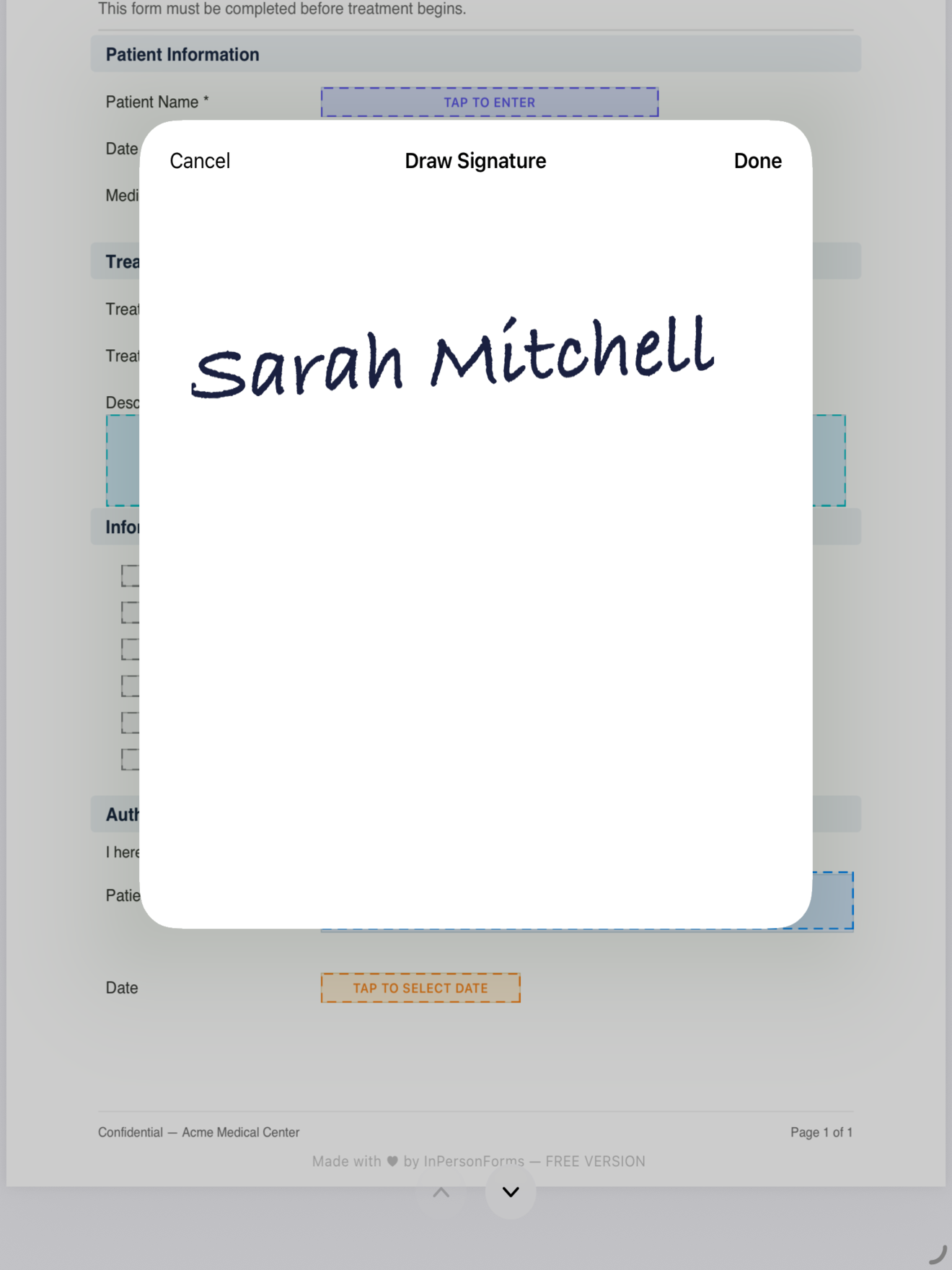
Because every part of this runs on the device, the room’s signal does not matter. Nothing is waiting on a server to load the next page, and nothing is uploaded when the client signs. A first session in a converted attic with one bar of reception behaves exactly like one in an office on fast Wi-Fi.
Keep signed copies organized by client
After the session, the signed intake and consent are stored under that client, not dropped into a shared folder you have to sort later. As the caseload grows, Pro lets you sort and filter records by client or by form, so pulling up someone’s signed consent before a session takes seconds.
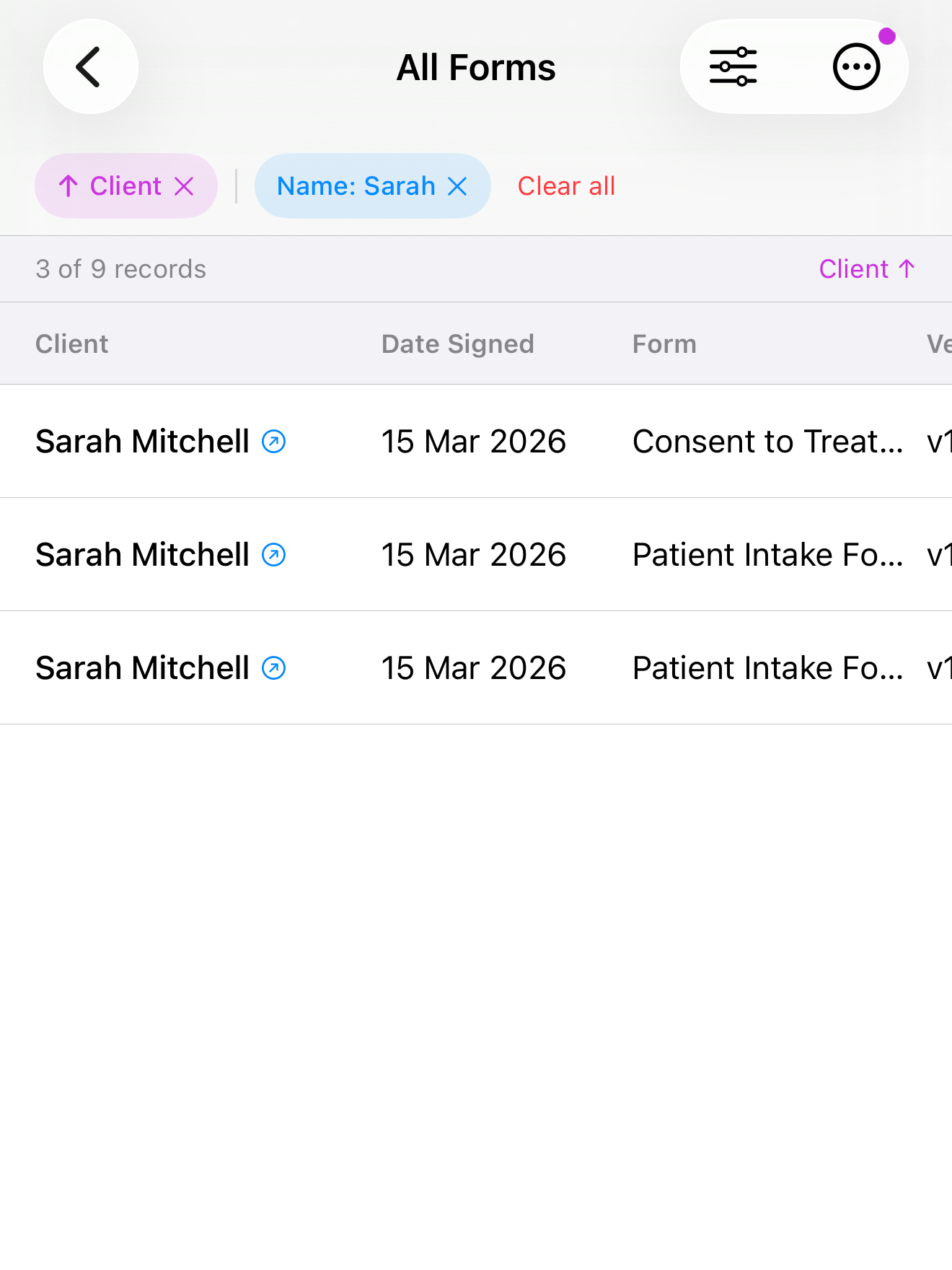
Two details matter for a clinical record. Each signed form is kept with a tamper-evident hash, so you can show a document has not been altered since it was signed. And when a client re-signs, say consent is renewed annually or a policy changes, Pro lets you create a new version instead of overwriting. The original stays intact and the new signature sits alongside it, which is exactly the audit trail a client file should have.
What “nothing leaves the device” actually buys you
Keeping intake on the iPad does not, by itself, make a practice compliant, and no honest tool will claim it does. You are still responsible for the safeguards around the device: a strong passcode and Face ID or Touch ID, not leaving it unlocked in a waiting room, and a real backup routine so a lost iPad does not mean a lost client file. For that last one, Pro can write every client, template, and signed PDF into a single backup file you restore on a replacement device.
What it removes is the third-party cloud. There is no vendor server holding your clients’ mental-health history, no BAA to chase and re-verify, and no breach at a company you have never met that can expose data you collected. For a solo practice with no IT department to vet vendors, that is a smaller and more controllable surface.
If you want to try it with your own forms, import your current intake and consent PDFs and place the fields once. InPersonForms is on the App Store for iPhone and iPad, free to start, with a one-time upgrade for unlimited templates and no subscription. None of the above is legal advice; check your own obligations under HIPAA and your state’s rules for mental-health records.