
Most studios still run consent on paper. A clipboard at the front desk, a pen that half works, a binder that fills up, and a back room where the WiFi drops the moment you walk past the autoclave. The paper works until you need to find one specific form from eight months ago, or until a client leaves a medical question blank and nobody notices.
The usual fix is a cloud e-signature tool, but those are built for emailing a link to someone at home. They charge every month, they lean on a connection your back room does not have, and they push your client’s medical answers through a server you do not control. For a tattoo or piercing studio that signs people in the chair, none of that fits.
Here is how to run the three forms a studio actually needs on an iPad, signed in the chair, with no monthly bill and no dependency on the WiFi reaching the back room. The screenshots are from InPersonForms, but the setup is the point and you can follow it with your own PDFs.
Start with the three forms you already have
A session usually needs three things signed before the needle comes out:
- Consent and waiver. The client agrees to the procedure and the risks.
- ID and medical screening. Date of birth, the questions about blood conditions, allergies, medication, pregnancy, recent alcohol, and anything that affects whether you tattoo or pierce today.
- Aftercare acknowledgment. The client confirms they received and understood the aftercare instructions for their piece.
You almost certainly have all three as PDFs or printable sheets already. Import each one. If a PDF was built with real form fields in Acrobat or Word, those get detected and converted, so you are not redrawing your own form from scratch.
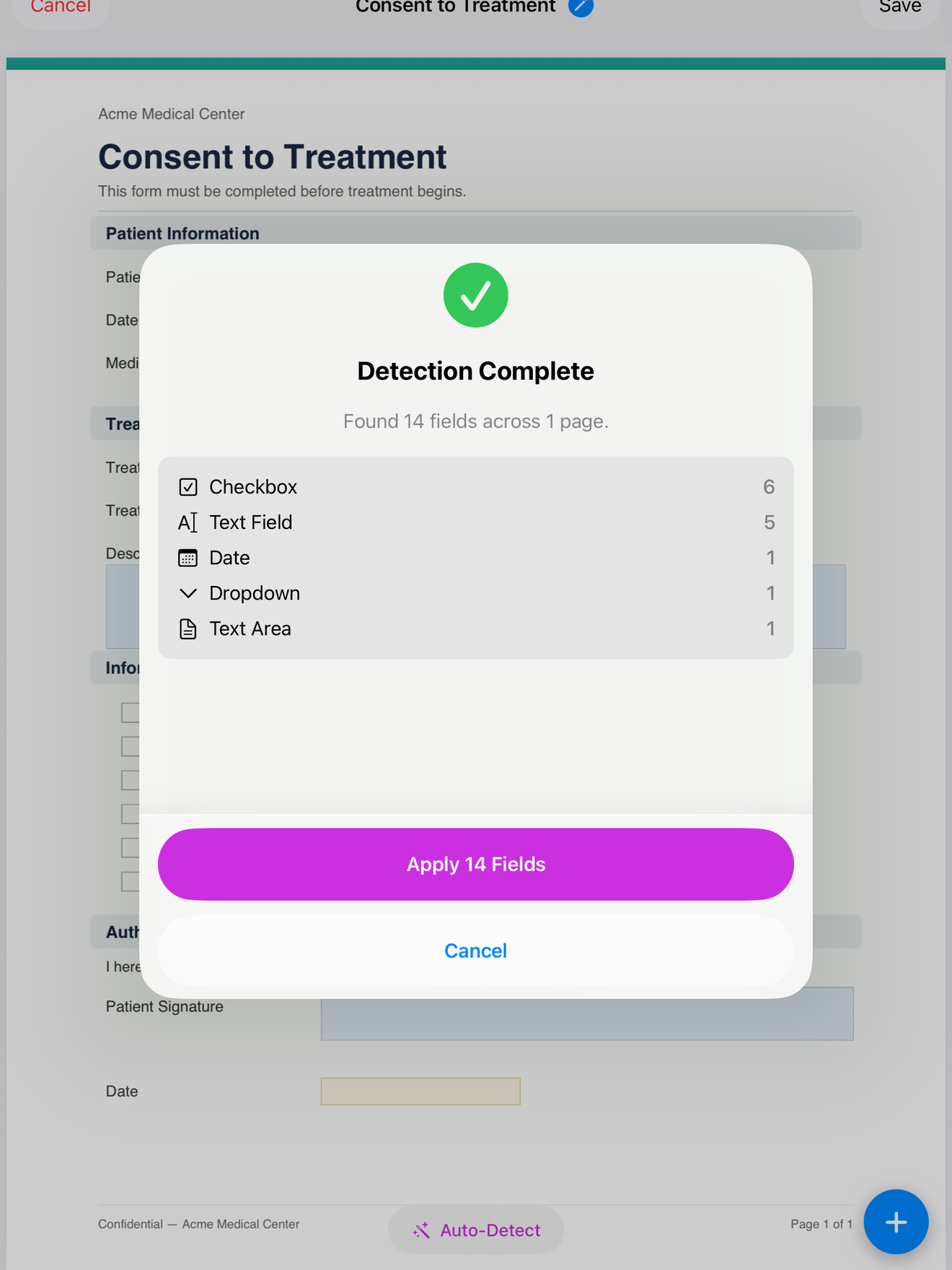
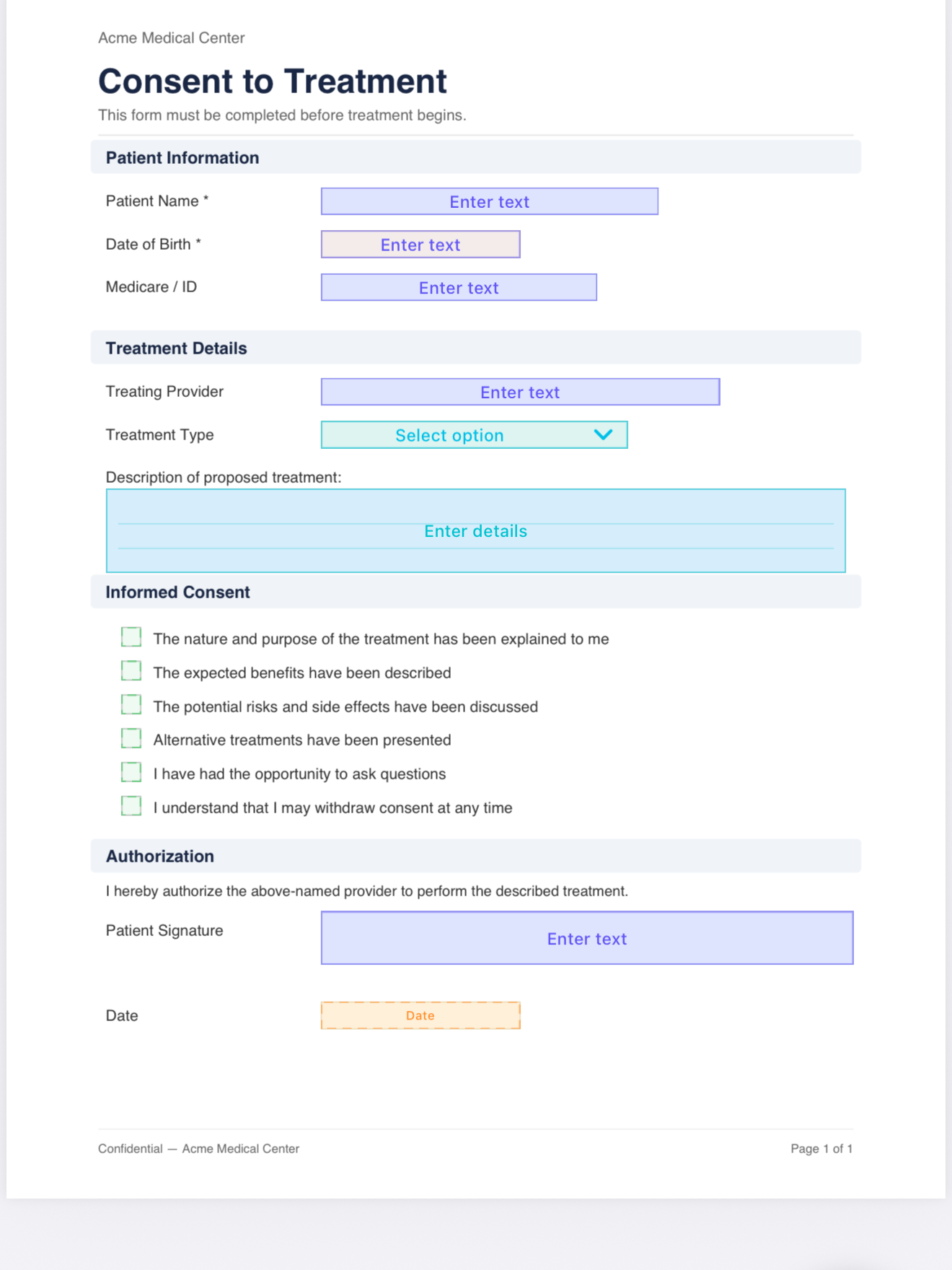
For a plain scanned sheet, you place the fields yourself: a text box for the name, a date field for the date of birth, a checkbox or radio button next to each medical question, and a signature field at the bottom. You do this once per form. After that it is saved as a template and every client starts from a clean copy. The free tier covers three templates, which is exactly consent, medical, and aftercare.
Make the medical questions impossible to skip
The medical screen is the form you cannot afford to have half filled. On paper a client ticks some boxes and skips others, and you find out at the worst time.
When you build the medical template, mark the questions that matter as mandatory. The form will not save until those fields are answered, so a blank allergy line or an unanswered pregnancy question stops the session before it starts rather than after. Use radio buttons for yes or no questions and checkboxes where more than one answer applies, so the client taps rather than writes.
This is the part that quietly protects the studio. A complete, dated, signed medical screen is the record you want to have if anyone ever asks what the client disclosed before their appointment.
Hand the iPad over in the chair
When the client is in the chair, open their consent template, fill in anything you already know, and pass them the iPad. They read it, answer the medical questions, and sign directly on the document with a finger or an Apple Pencil. The signature is drawn on the device and written into the PDF itself.
Because all of this runs on the iPad, the back room signal does not matter. Nothing is waiting on a page to load. The form behaves the same next to the autoclave as it does at the front counter.
Run the aftercare acknowledgment the same way, either right after the consent or at the end of the session when you hand over the care sheet. Keeping it as its own signed record means you can show the client confirmed they got the instructions, separate from the consent itself.
Keep every signed copy by client
A studio sees the same people again. Repeat clients, touch-ups, the regular who comes back every few months for the next piece. That only helps you if last session’s paperwork is findable.
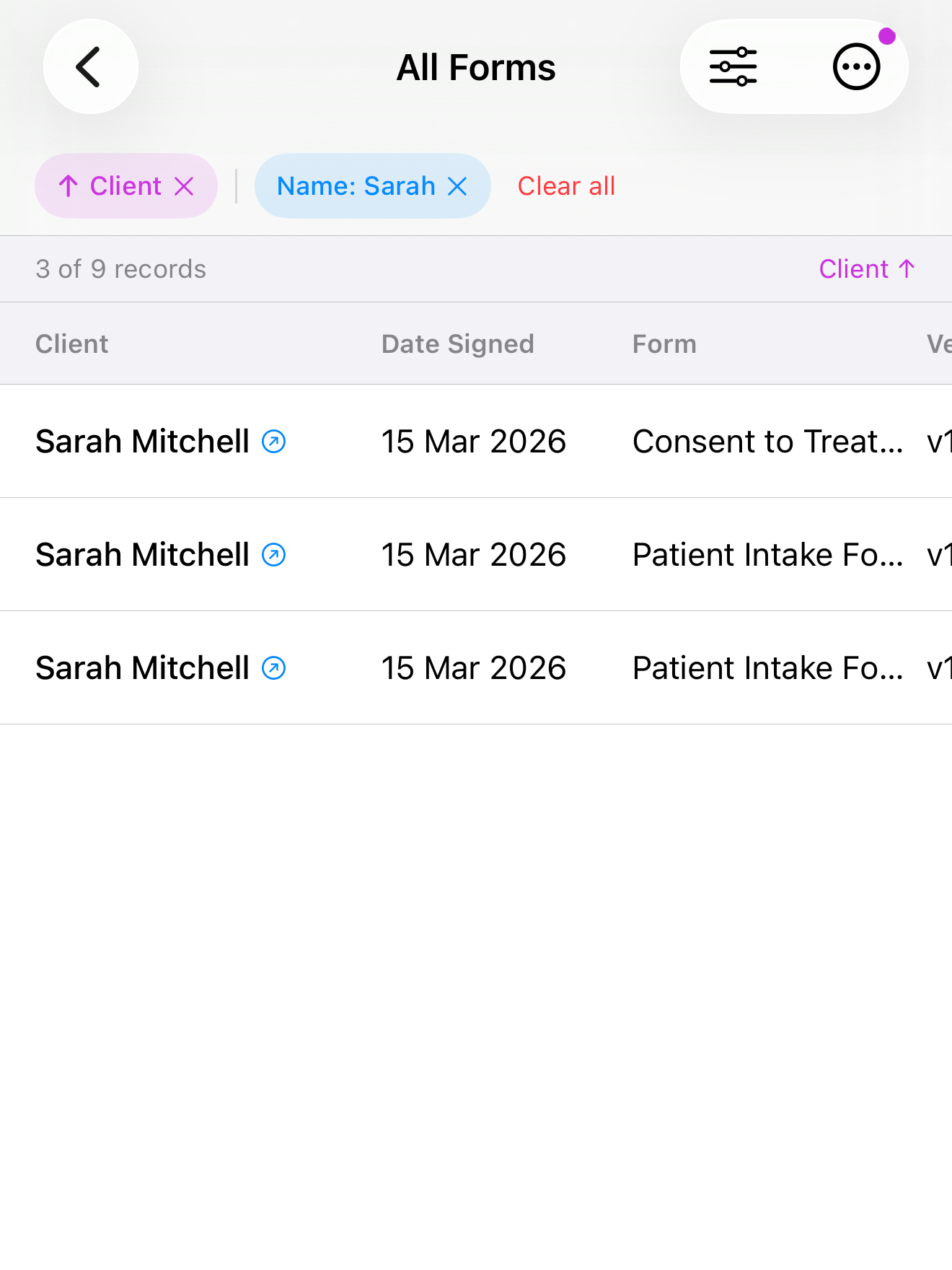
Each completed form is stored against the client, with their details and full form history in one place. Their name and contact details can auto-fill into the next form, and on Pro so can saved profile answers like a date of birth, so a returning client is not re-entering them every visit.
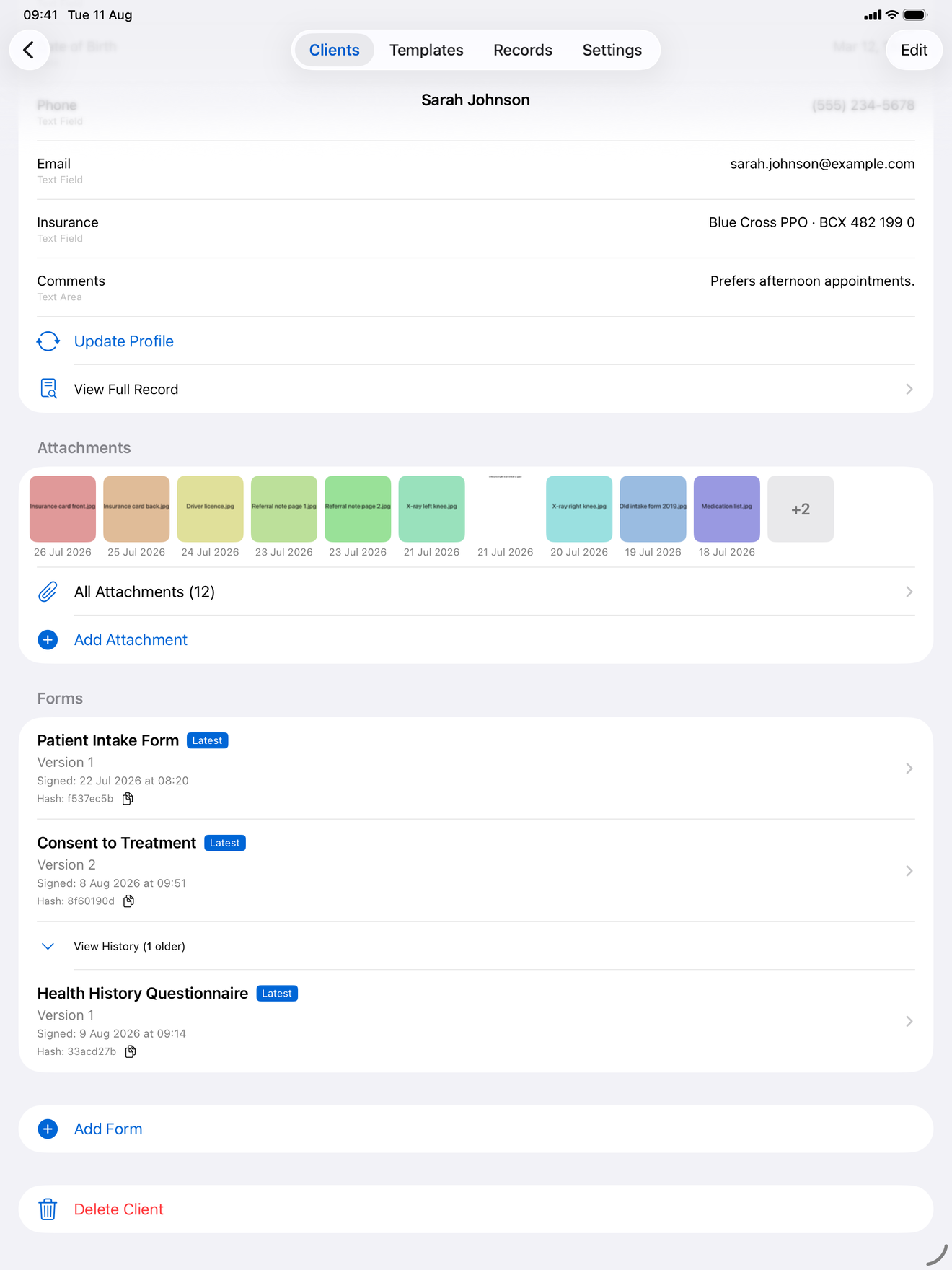
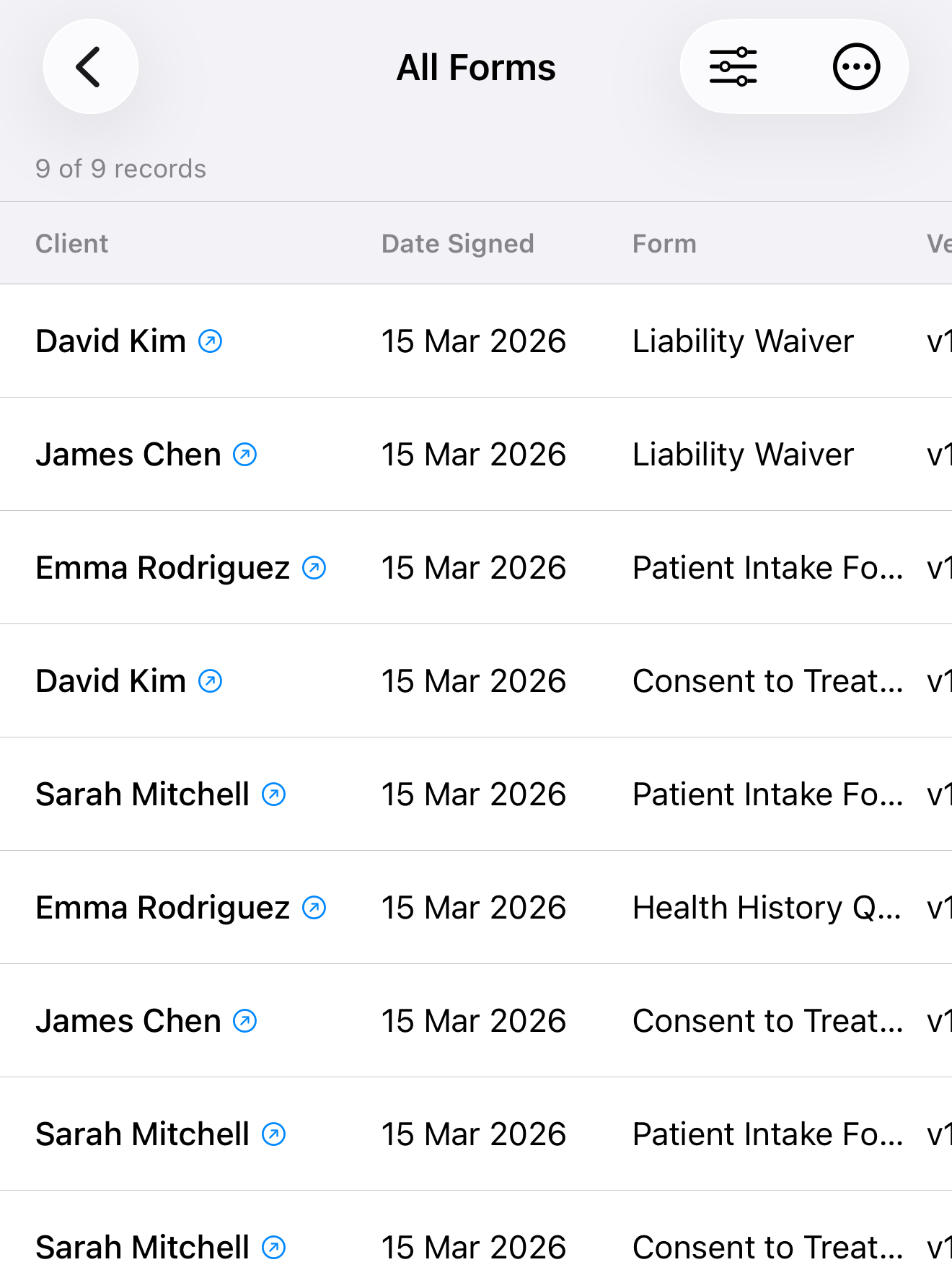
When you need to pull an old consent, search by client name or, on Pro, filter by template. A repeat client’s previous medical screen and signed waiver are a few taps away instead of a dig through a binder.
If a client comes back and their details have changed, on Pro you create a new version of the form rather than overwriting the old one. The original signed copy stays intact, so you keep the full record of what was signed and when.
What this costs and what it leaves out
Local health authorities often expect a studio to keep signed consent and medical records on file, so the goal is not just collecting a signature, it is keeping a clean record you can produce later. This workflow does that without the parts that usually cause friction:
- No back-room WiFi dependency. The whole flow is offline. A connection is only needed if you choose to email a copy.
- No subscription. Free to start with three templates, then a one-time US$39.99 for unlimited templates. No monthly fee tied to how many clients you sign.
- No client data leaving the iPad. Names, medical answers, and signatures stay on the device. For health information that is the point.
- Nothing for the client to install. You hand them your iPad. No app, no account on either side.
If your consent still lives on a clipboard, you can rebuild it as a template with the PDFs you already have and sign your next client in the chair from it. InPersonForms is on the App Store for iPhone and iPad.