
If you collect waivers, consents, or intake forms in person, switching from a clipboard to an iPad raises a fair question before you commit: if it ever came down to it, would the signature actually hold up?
The short answer for the United States is yes, an electronic signature can carry the same weight as ink. But “can” is doing work in that sentence. It holds up when a few specific conditions are met, and it is worth knowing what they are rather than taking a vendor’s word for it. Below is what the law asks for, in plain terms, and where an in-person signature captured on a device lines up with each part.
One note before we start: this article describes US law, specifically the federal ESIGN Act and the state-level UETA. Other countries have their own frameworks, such as the EU’s eIDAS, and the details differ. If you are collecting signatures outside the United States, treat this as background and check the rules that apply where you operate.
The two laws that govern this
Two pieces of US law set the ground rules. The federal ESIGN Act (2000) and the state-level UETA, which most states have adopted, both say the same core thing: a signature or record cannot be denied legal effect just because it is electronic. They do not bless one product or one technology. They describe conditions, and any method that meets those conditions qualifies.
There are a handful of exclusions, such as wills and certain notices, and some regulated industries add their own rules on top. For the everyday waivers and consents most practitioners collect, though, the general framework is what applies.
The four things a valid e-signature needs
Across both laws, the requirements come down to four points.
Intent to sign. The signer has to mean to sign. A drawn signature on a screen is a deliberate act, the same as putting pen to paper. There is no ambiguity about whether someone meant to do it.
Consent to do business electronically. Both sides need to agree to handle the transaction electronically. In person this is the easy part. You hand over the iPad, the person understands they are signing on it, and they sign. For consumer-facing transactions some sectors require extra disclosures, so check what your field expects.
Attribution. The signature has to be tied to the person who made it. When you are standing in front of the signer and watch them sign on your device, attribution is about as direct as it gets. You captured it yourself, in the moment, on a form already filled in with their details.
The ability to retain and reproduce the record. Both parties should be able to keep the signed record and open it later as it was. This is the part people overlook, and it is where how the signature is stored starts to matter.
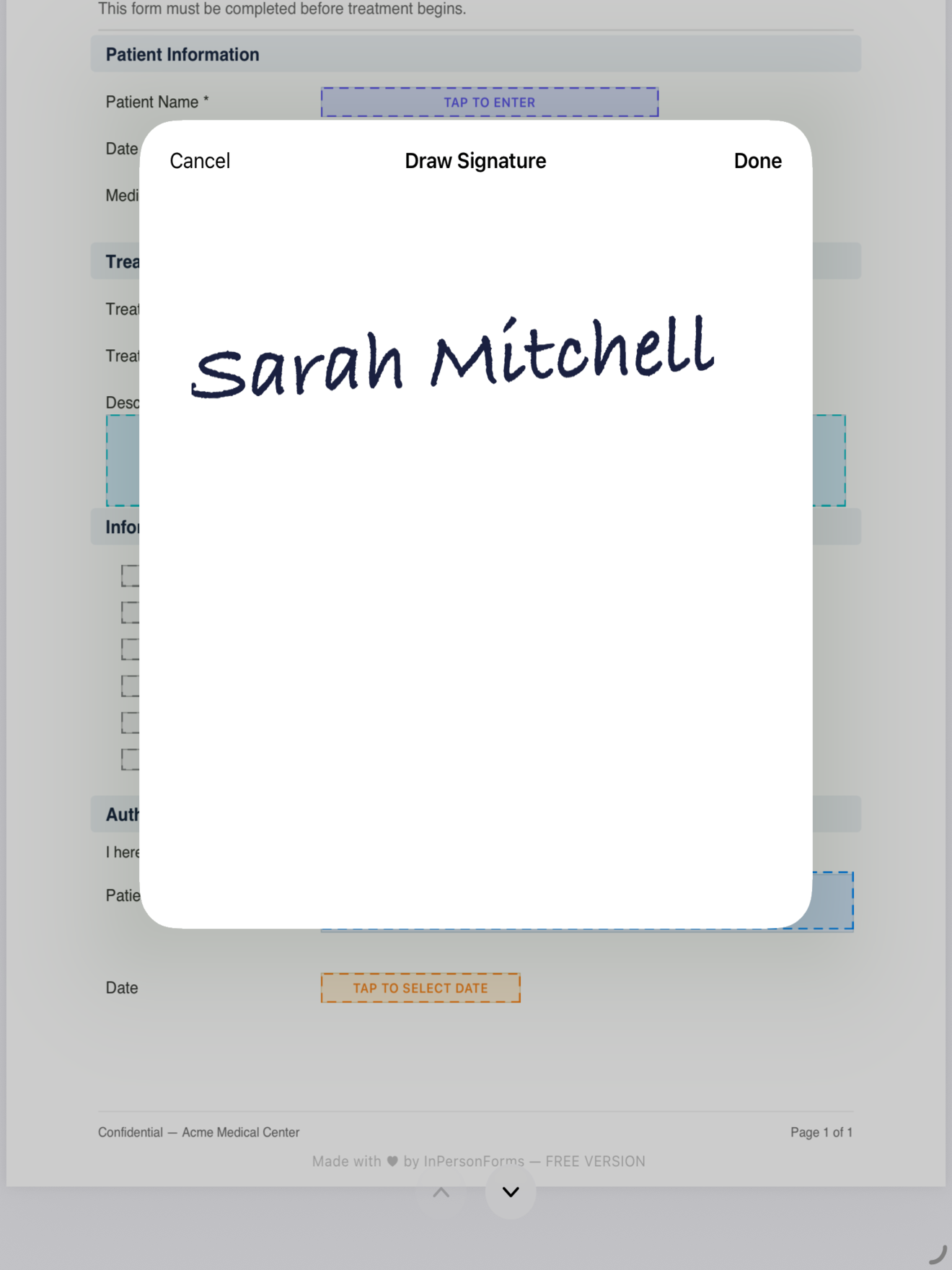
Where the signature lives is the part that matters most
A signature is only as trustworthy as your ability to show, later, that it belongs to this exact document and has not changed. Plenty of tools store the signature as a separate image or a row in a database, linked to the document by reference. That works until someone asks you to prove the link.
The cleaner approach is to draw the signature directly onto the page and flatten it into the PDF. Once flattened, the mark is part of the file. There is no separate signature object to misplace and no link to defend, because the signature and the document are one thing that cannot be pulled apart. If the file opens and the signature is on it, that is the record.
This is how InPersonForms handles it. The signer draws on the form itself, in the field you placed, and the export is a standard flattened PDF with the signature written into the page.
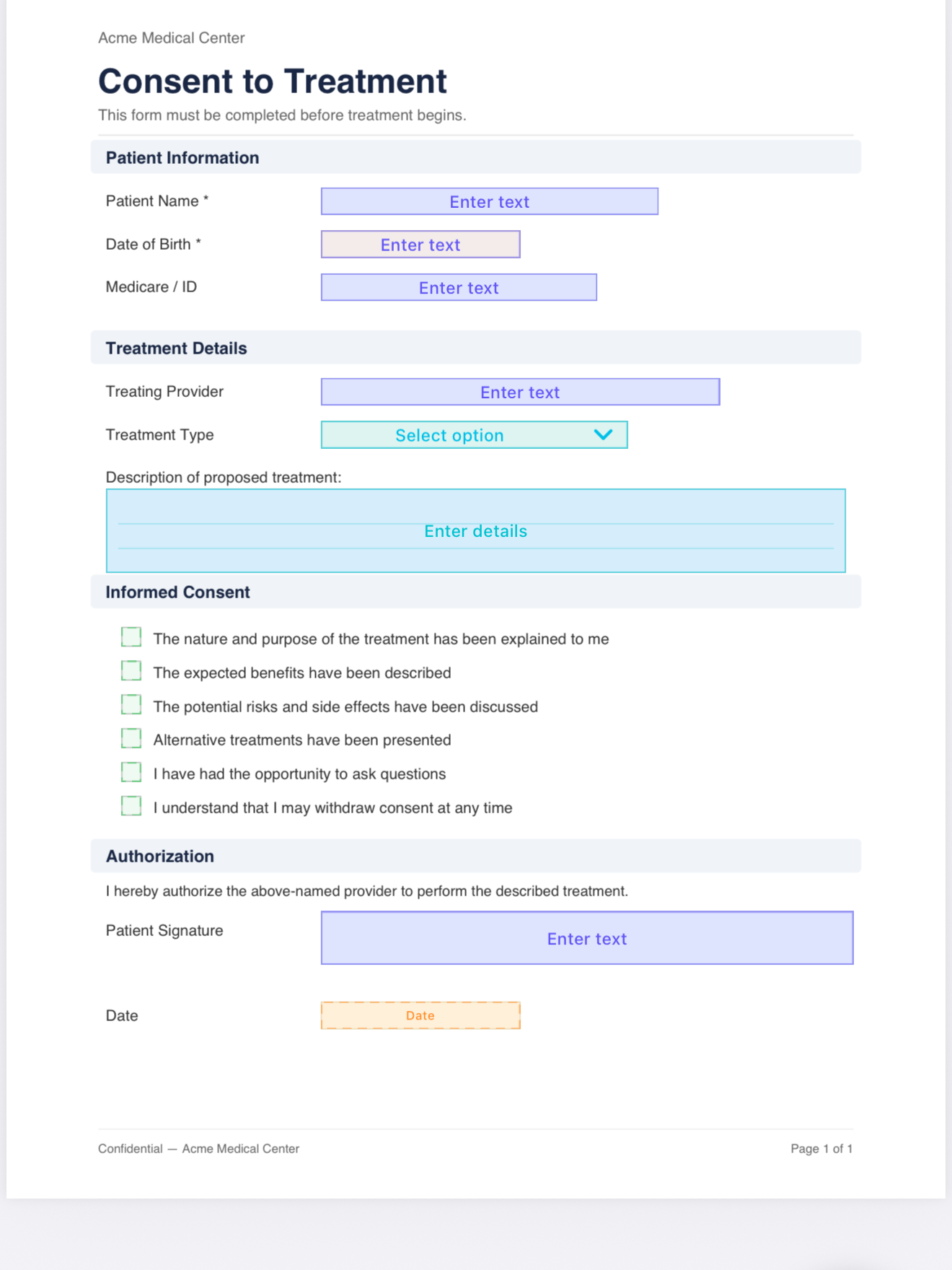
Give the signer their copy
The retention requirement runs both ways. You keep the signed record, and the signer should be able to keep an unaltered copy too. Because the export is an ordinary PDF, you can hand one over by email, AirDrop, or Files, and it opens anywhere without your app or an account.
That exported copy is the same flattened file you keep, so there is one version of the truth rather than your record and their record being two different things.

What this does and does not settle
Meeting the ESIGN and UETA conditions is what makes the signature legally valid as an electronic signature. It is not a promise that no one will ever dispute a document, the same way a wet signature on paper is not. What it does is put your in-person captures on the same footing as ink, with a record that is easy to produce and hard to argue was altered.
A signature drawn on the form, flattened into the PDF, with a copy in the signer’s hands covers intent, attribution, and retention in one motion. That is most of the checklist, handled by how the capture works rather than by anything extra you have to remember.
This is a general explanation, not legal advice, and the details shift by industry and country. If a form carries real legal or financial weight, confirm what your field requires. For the in-person waivers and consents most people collect day to day, a handwritten signature on an iPad, stored inside the document, is on solid ground.
InPersonForms is on the App Store for iPhone and iPad.