
If you have an iPhone or iPad, you already have two free tools that sign a PDF: Markup, which shows up whenever you open a PDF in Files, Mail, or Photos, and Preview, which became a built-in iPad app in iPadOS 26 (it has been on the Mac for years). For a lot of people that is genuinely enough, and it is worth saying so plainly before talking about where they stop.
Where Markup and Preview are actually fine
Sign a lease once. Add your name and a date to a school form your kid brought home. Initial a contract a client emailed you. For any of these, open the PDF, tap the Markup pen, drop in a text box or your saved signature, and share it back. Nothing to install, nothing to pay, and it works offline.
Apple even saves a few sensible things. Markup keeps your signature so you can reuse it later, and Preview on the Mac can pull names and addresses from your Contacts to autofill an interactive form. If your PDF was built with real form fields, Preview lets you tap straight into them and type.
So the free tools clear the low bar well. The trouble starts at a different bar.
Where they stop: the same form, over and over
Here is the situation they were never built for. You are a therapist, a trainer, a field tech, a clinic. You have one intake form, one consent form, one waiver, and you fill it out for a different person every day. Watch what happens in Markup or Preview on the second client:
- The signature comes back, but nothing else does. Every typed answer, every checkmark, every box you positioned by eye is gone. You are starting from a blank page again.
- On a flat PDF (one with no built-in fields, which is most scanned or printed forms), Markup treats the page as a drawing surface. You are eyeballing where to tap, nudging text so it lands on the line, doing that fiddly placement work fresh on every single copy.
- There is no record of who signed what. You get one finished file. Whether it ends up named correctly and filed somewhere you can find it later is entirely on you, and it is easy to lose track across a busy week.
This is the wall behind the searches people actually type: “Markup signature not saving,” “reuse a fillable PDF without retyping.” The signature usually is saved. What is missing is everything around it, the layout and the per-person record, and Apple’s tools do not keep either. Per Apple’s own support guides, neither Preview on iPad nor on Mac offers reusable templates or saved field layouts across documents (as of June 2026). They are document editors, not a forms workflow.
The fix: set the layout once, keep a record per person
The thing that actually removes the repeat work is saving the field layout, not just the signature. You place the boxes one time, then reopen a clean copy for each person with the boxes already there.
That is the workflow in InPersonForms. Import the PDF you already use and set it up once as a reusable template: a text box where the name goes, a date field, a checkbox next to each option, a signature field at the bottom. If the PDF already has embedded fields from Acrobat or Word, those get detected and converted, so you are not redrawing anything.
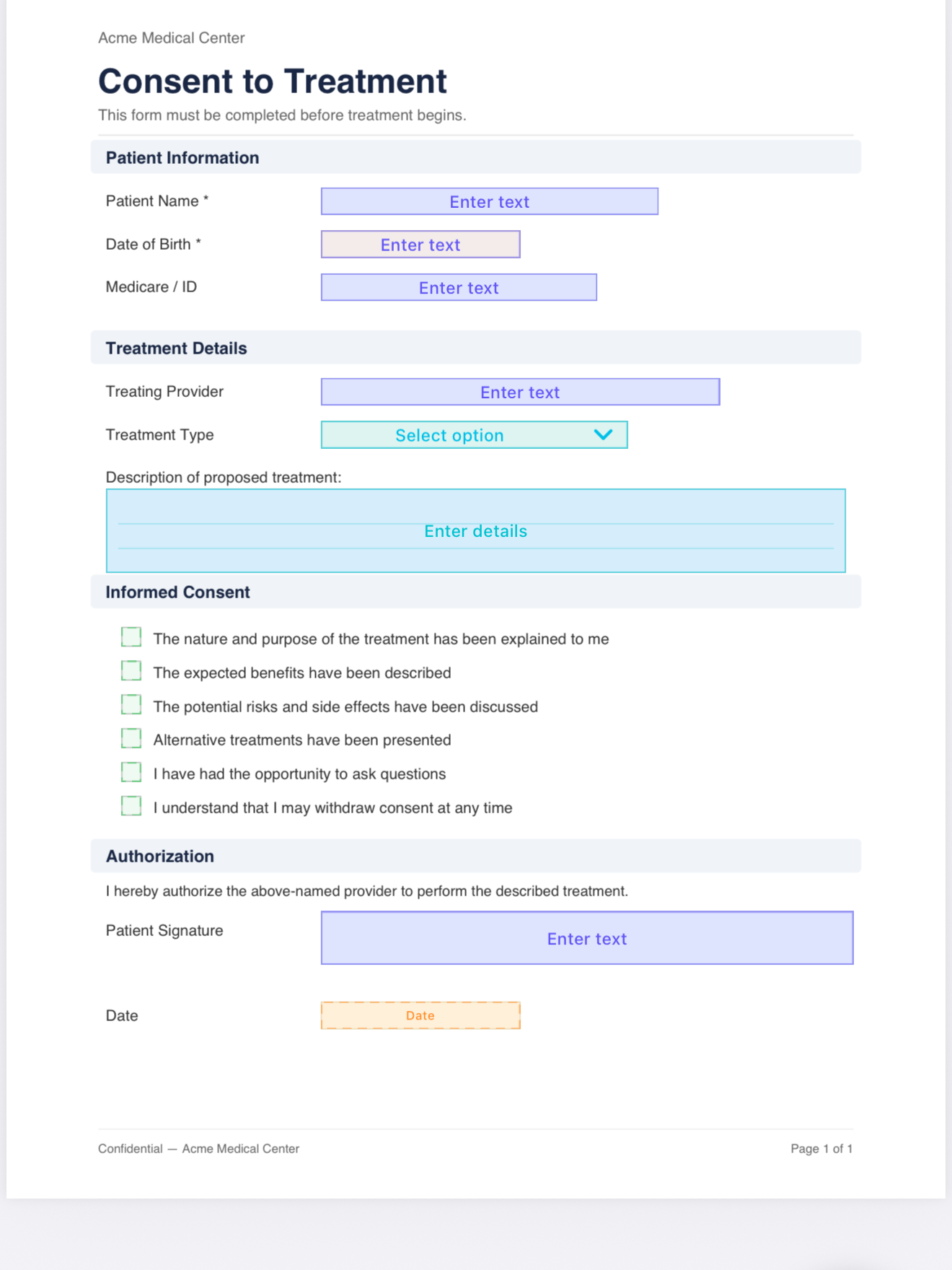
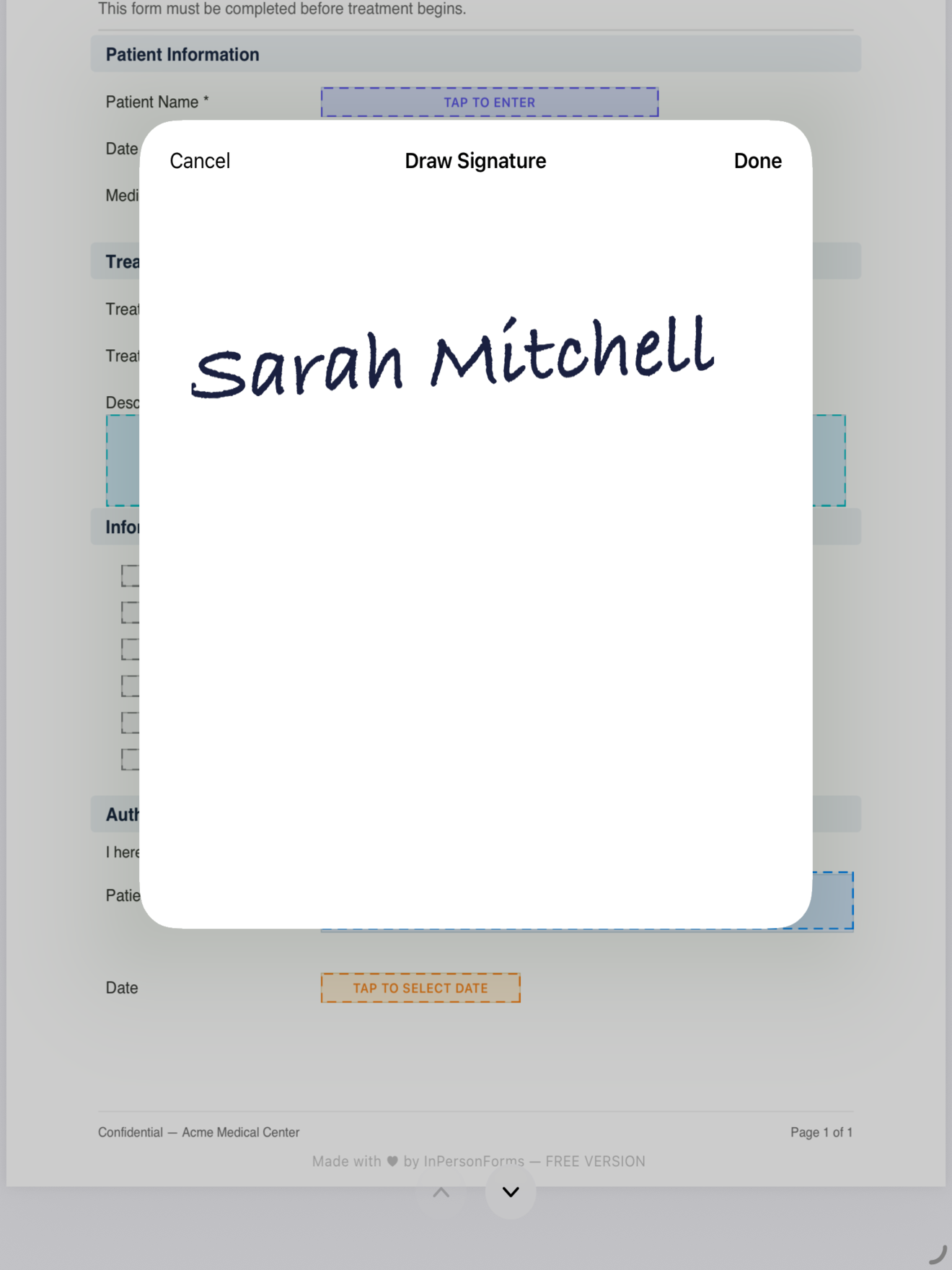
After that, the placement is done for good. Every new client opens from the same clean template, with the fields already sitting in the right spots. You fill in the values that change, hand the device over, and they sign on screen with a finger or Apple Pencil, directly in the field you placed.
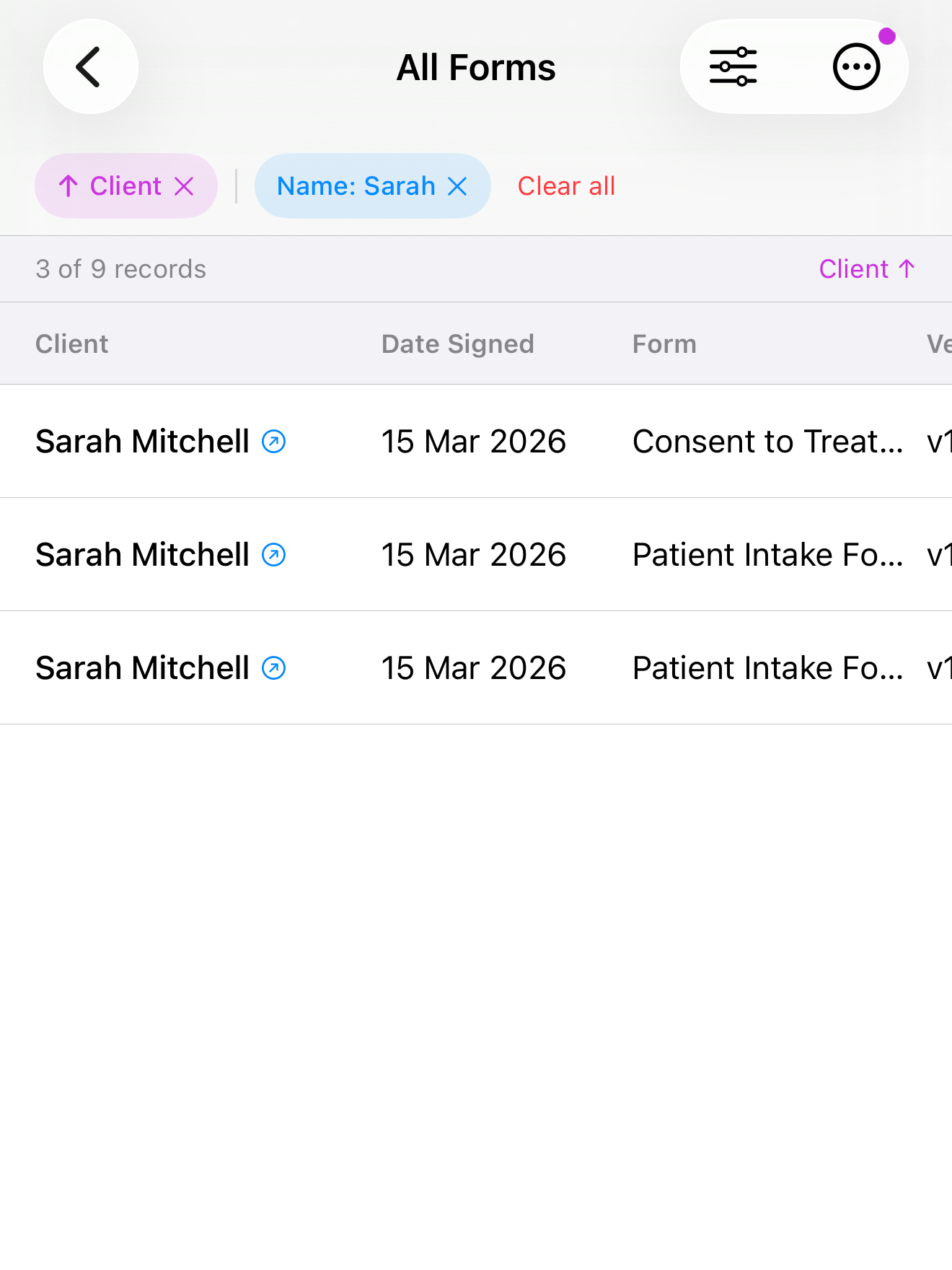
The second gap, the missing record, is the other half. Each completed form is stored against the client it belongs to, so you are not relying on file names and memory.
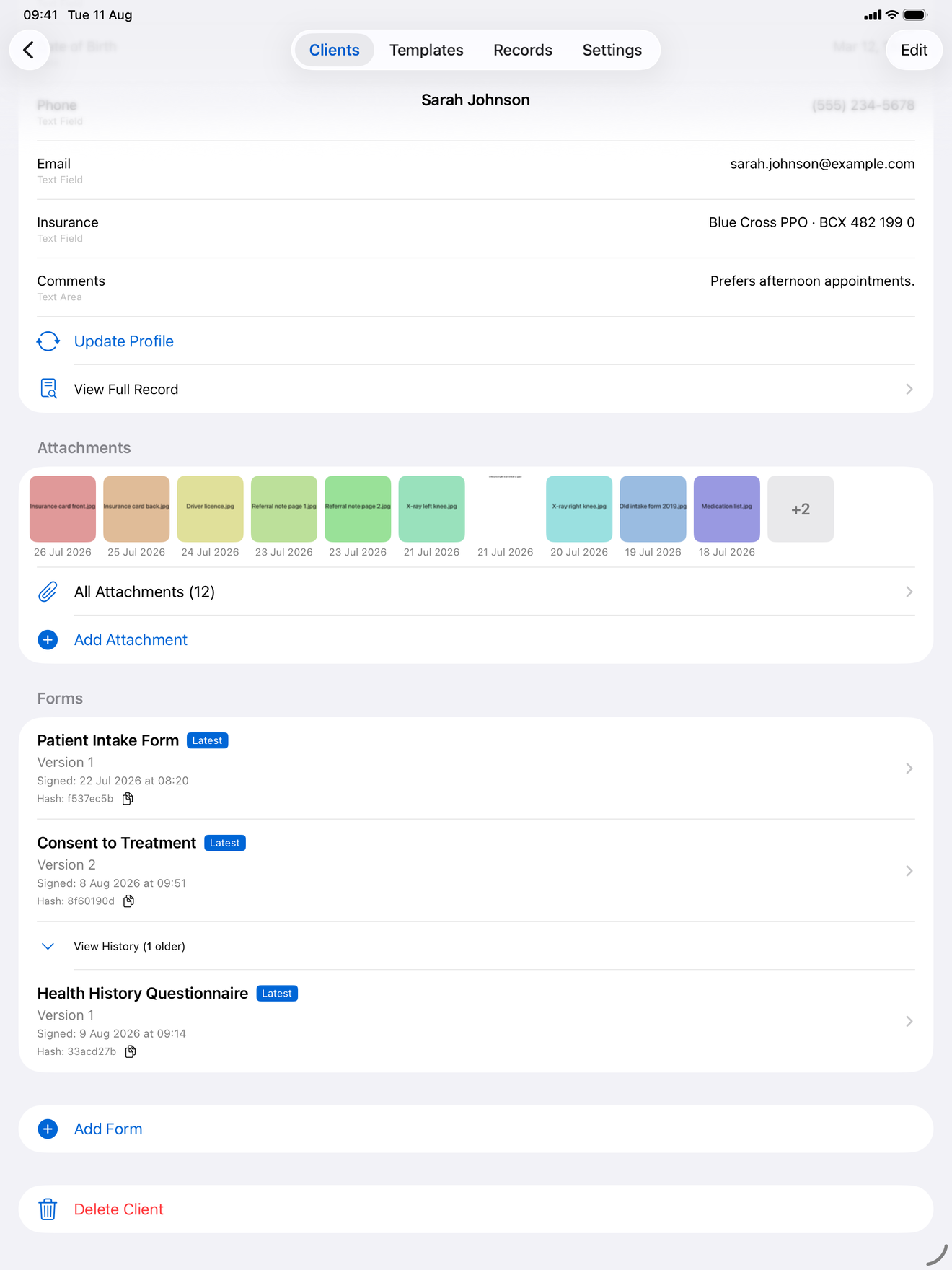
Need someone to re-sign or update their details next visit? On Pro, create a new version. The original stays intact and you keep the history, rather than ending up with two near-identical PDFs and no idea which is current.
How to choose
The honest split is about how often you do this.
If you sign the occasional PDF, stay with Markup and Preview. They are free, built in, and they handle a one-off cleanly. Adding another tool for that would be overkill.
If you fill the same form for client after client, the free tools make you redo the layout and leave you to track records by hand, every time. A tool that saves the field layout as a template and files each signed copy per client removes exactly that repeat work. InPersonForms does this fully offline, with data kept on the device and a one-time purchase rather than a subscription, which matters if you are handling health, legal, or personal information in person.
You can test the line for yourself: fill your form twice in Markup and count what you had to redo the second time. That number is the whole argument.
InPersonForms is on the App Store for iPhone and iPad.